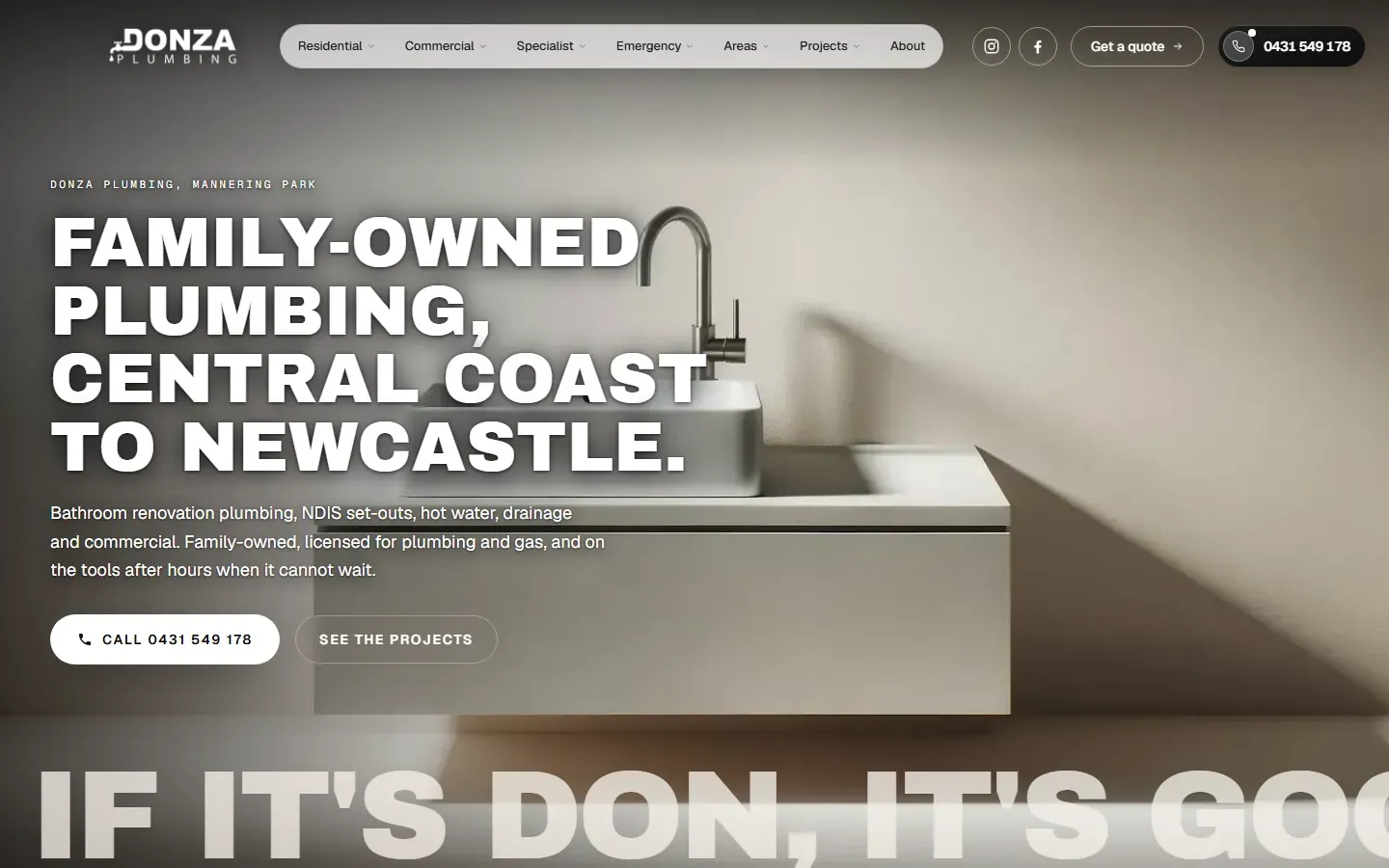
Ten plumber website design examples, taken from two plumbing sites that are live now. Each one has a screenshot, what is on the screen and why a plumber’s customer needs it.
Both are sites I built, which is why I can explain the choice behind each piece. Every screenshot is from the live site, on a desktop screen or a phone.
Plumbing and gas
Donza Plumbing
Based at Mannering Park, NSW, working from the northern Central Coast through Lake Macquarie to Newcastle. donzaplumbing.com.au, and the Donza Plumbing case study.
Plumbing, drainage and gas
AquaCore Plumbing
Working across Melbourne and the north-western suburbs. aquacore-plumbing.com.au, and the AquaCore Plumbing case study.
The two businesses take enquiries differently. Donza Plumbing publishes its mobile number on every page. AquaCore Plumbing publishes no phone number and takes bookings by Instagram message. That difference shows up in several of the examples.
If you would rather hand the build over, I do website design for plumbers, for A$500 to A$1,000 and quoted in writing. The monthly search work after launch is SEO for plumbers.
The first screen: the trade, the area and one tap to reach you
1. A headline about the customer’s house
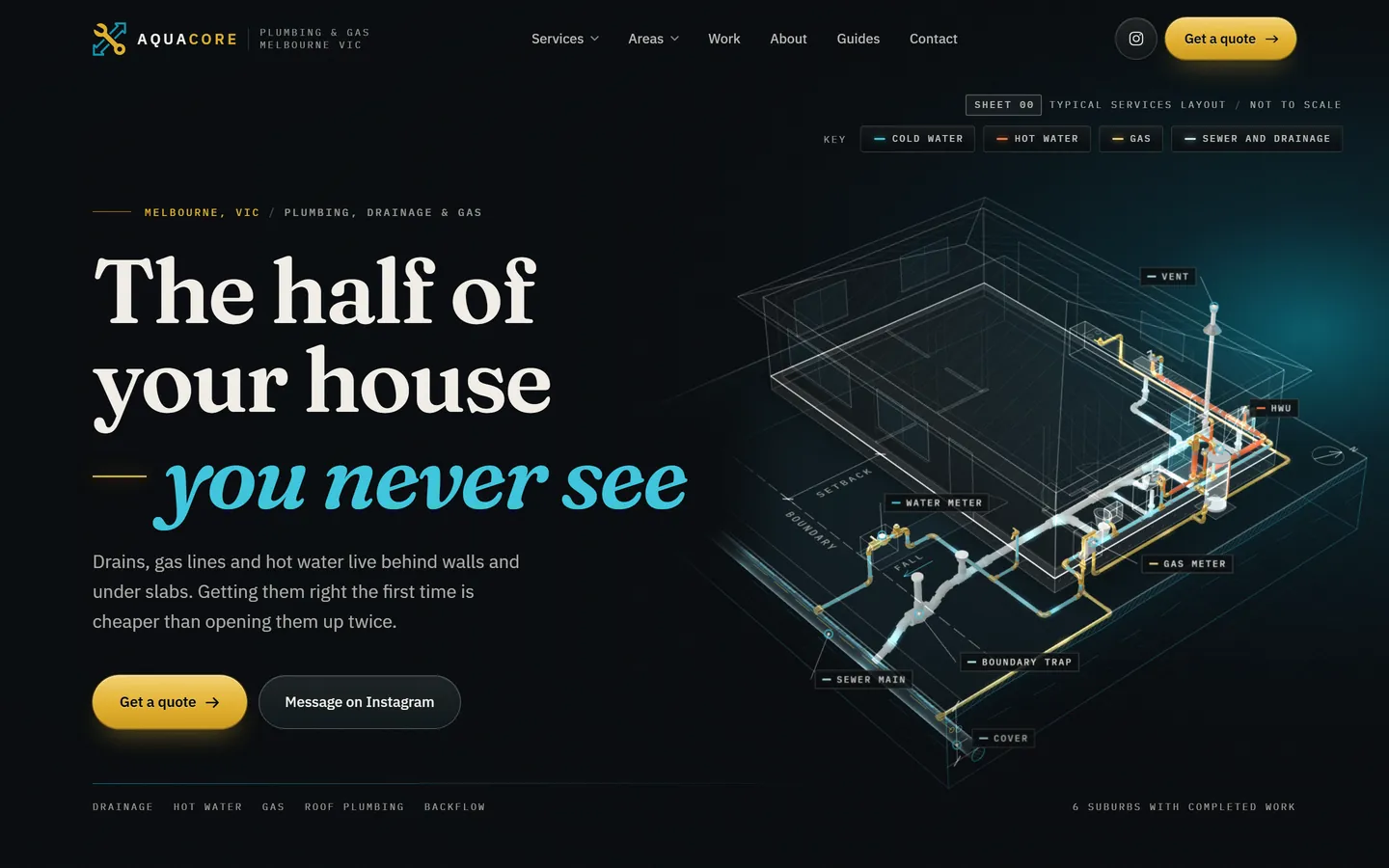
AquaCore Plumbing’s first screen is about the part of the job nobody sees. The headline talks about the customer’s house, the line under it says why hidden work has to be right the first time, and the drawing traces cold water, hot water, gas and sewer through a house. The small line above the headline carries the basics: Melbourne, VIC, and plumbing, drainage and gas.
Finished plumbing is mostly behind a wall or under a slab, so a photo of a tidy bathroom says little about the plumber. A headline about the customer’s own house gives them a reason to keep reading.
2. Licences and the ABN straight under the hero
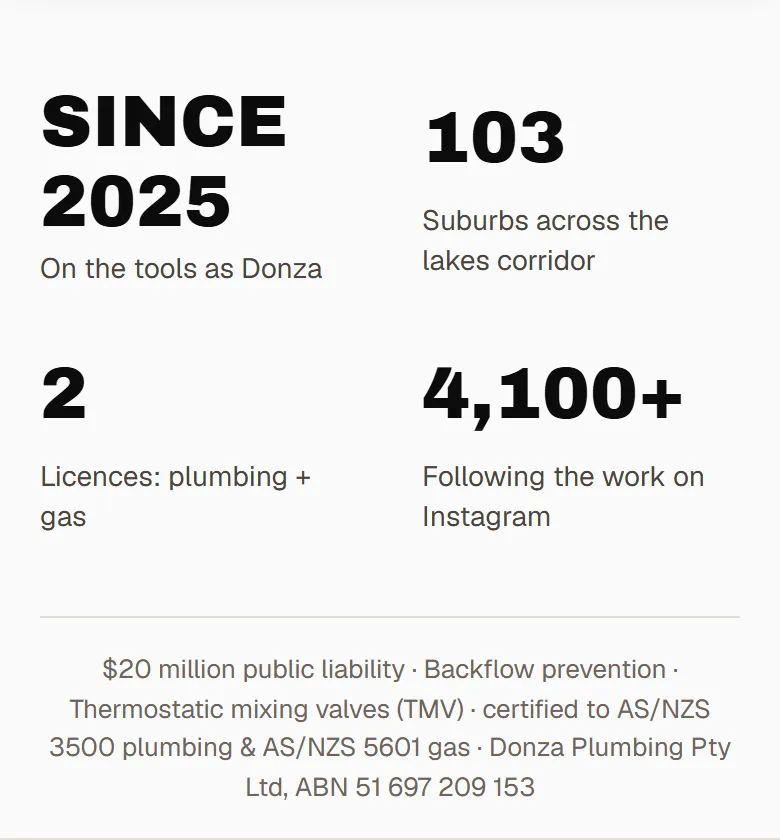
Directly under the Donza Plumbing hero is a strip of four numbers, then the small print. The numbers are the year the business started, 103 suburbs, two licences (plumbing and gas) and the Instagram following. The small print lists the insurance cover, the backflow and thermostatic mixing valve work, the plumbing and gas standards, and the company name with its ABN.
Gas and backflow work is licensed, and a homeowner is entitled to check who they are letting in. On this site the ABN and the mobile number are on every page. The gas fitting, backflow and mixing valve accreditations are also in the site’s structured data, with NSW Fair Trading named as the body that recognises them.
3. One tap to reach you on a phone
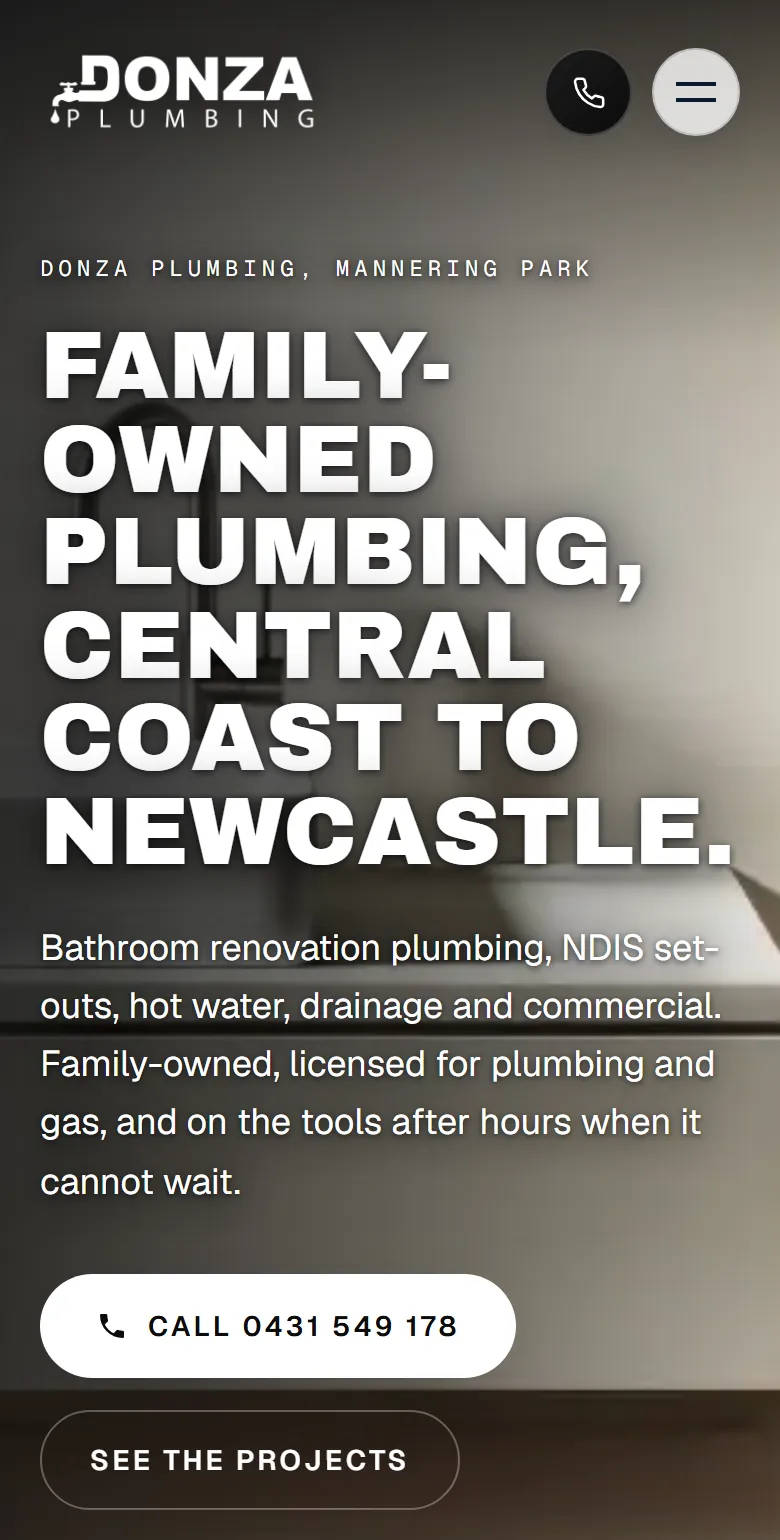
On a phone, the Donza Plumbing homepage gives two ways to ring before any scrolling: the round phone button in the header and the Call button under the headline. Both dial the mobile number. A burst pipe is no time to go looking through a menu.
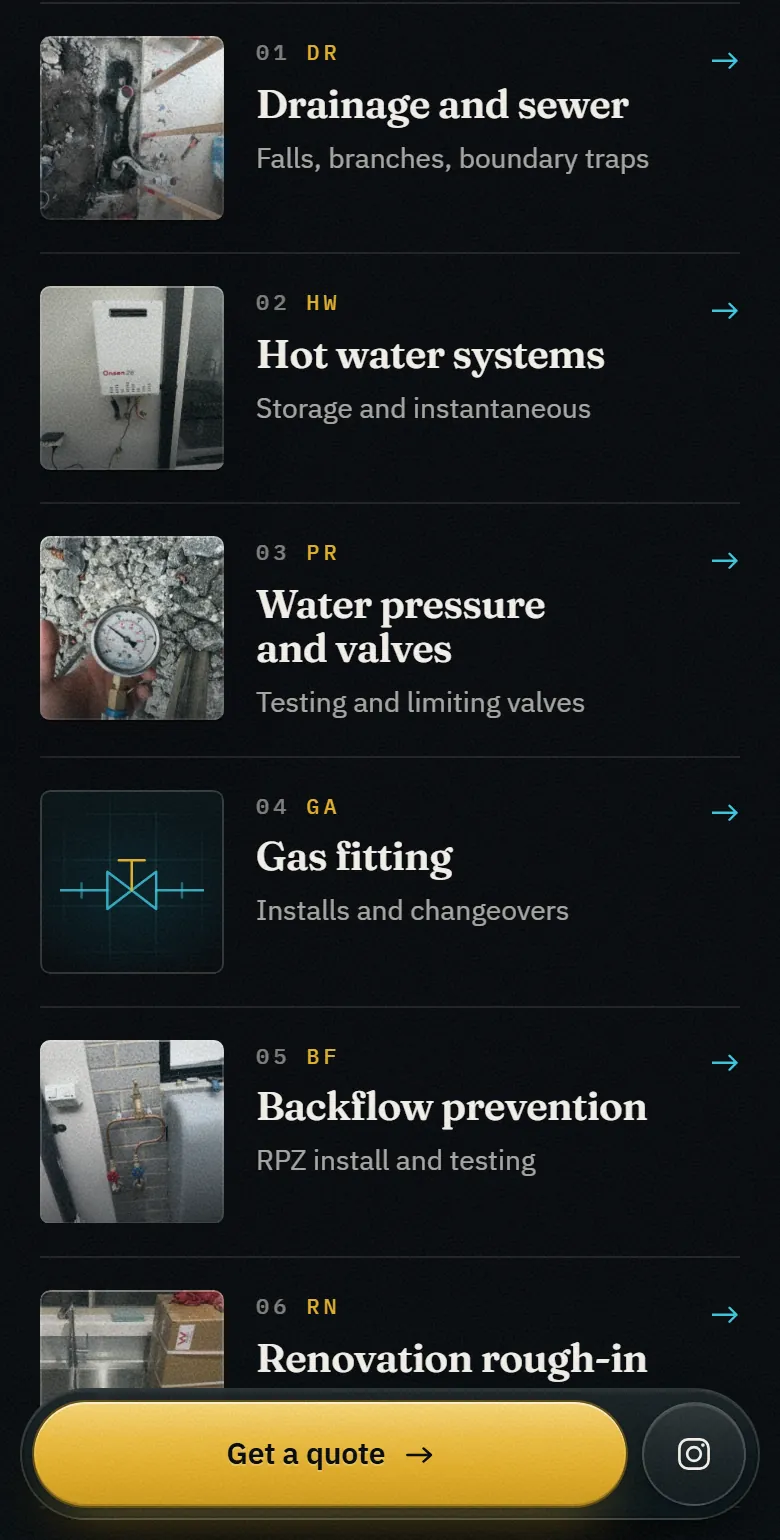
AquaCore Plumbing has no phone number to show, so its phone layout does the same job another way. As you scroll, a Get a quote bar stays fixed to the bottom of the screen, with an Instagram button beside it. Whichever way the business wants to be contacted, it should be one tap away.
Helping each customer find their job
4. Services grouped by who is asking
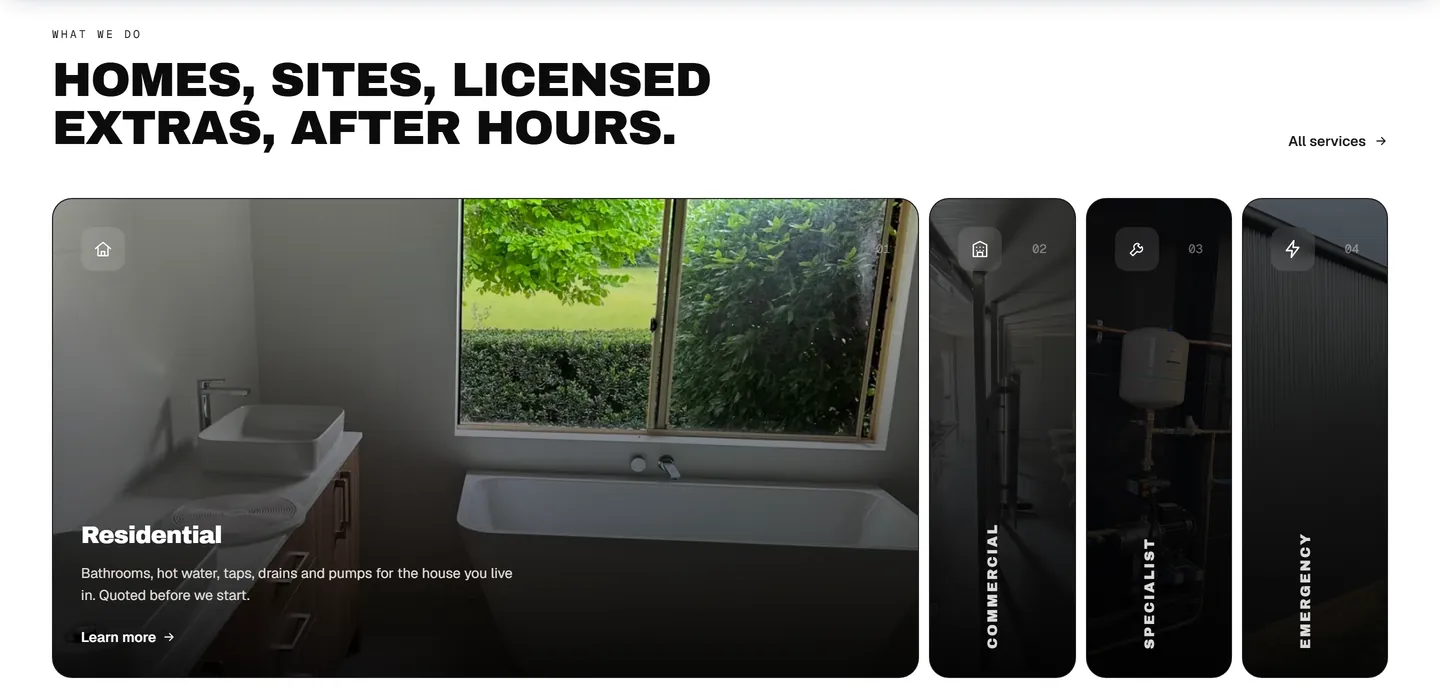
Donza Plumbing has thirteen service pages. The homepage does not list them all. It offers four doors: Residential, Commercial, Specialist and Emergency. Residential is open in this capture, with one line on what it covers.
A homeowner with a dripping tap, a builder pricing a fitout and someone with water coming through the ceiling at night are three different customers. Each picks a door and lands on a page written for them.
5. A tool for the urgent job
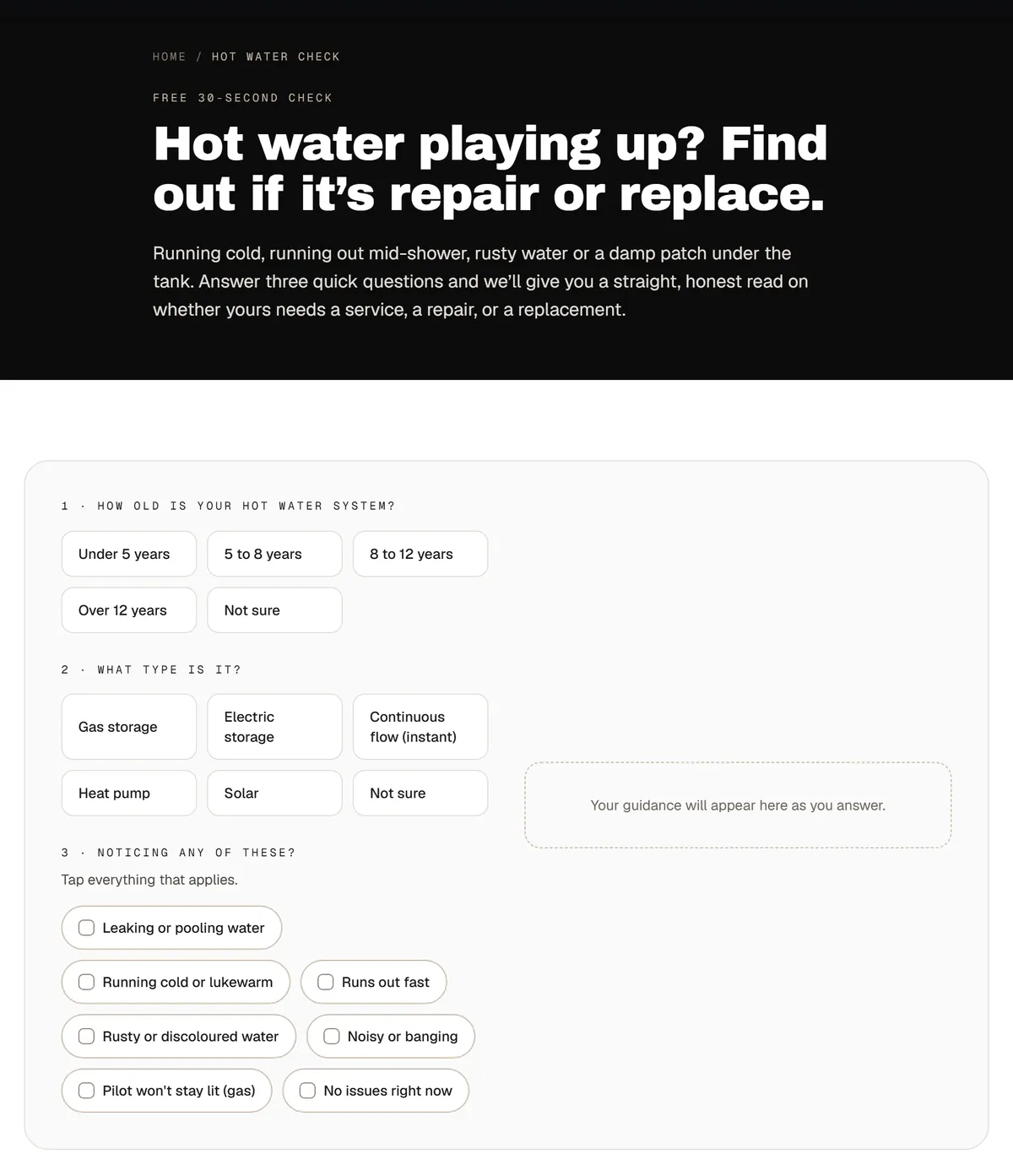
The hot water check asks three things: how old the unit is, what type it is and what it is doing. The answers are buttons, so nothing has to be typed, and the guidance appears in the box beside the questions as they are answered.
Someone with no hot water wants to know one thing: is this a repair or a new unit? A contact form makes them wait for that answer. This page gives them a first read on it, then sends them to the hot water service page.
Proof a customer can check
6. Before and after of the same room
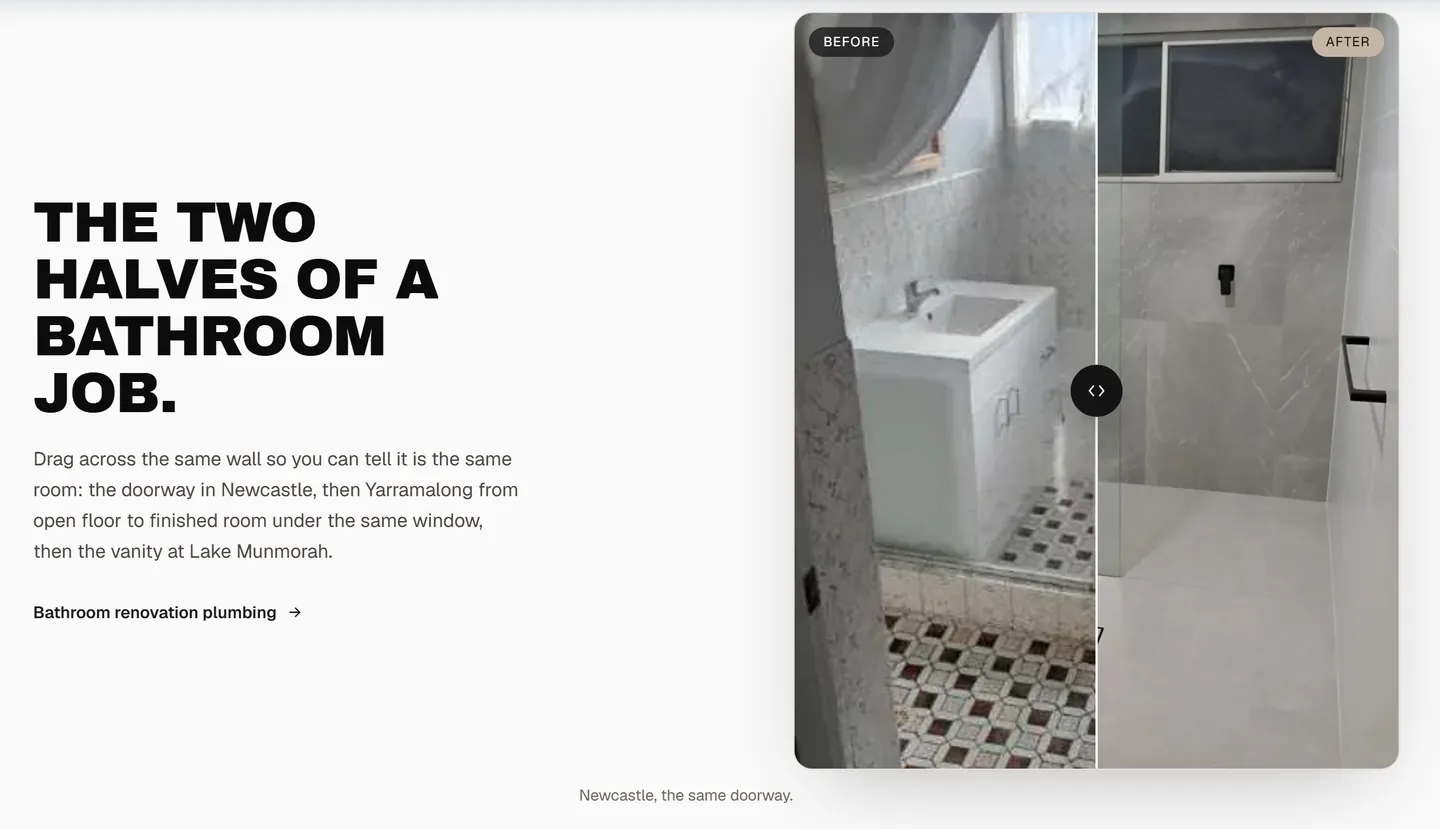
This is a slider. Drag the handle and the old bathroom gives way to the finished one, shot from the same doorway in Newcastle. Two more follow it, from Yarramalong and Lake Munmorah. The caption under each one names the place and the thing that stays put in both photos: the doorway, the window, the vanity wall.
A before and after only works as proof when the customer can tell it is one room. Two unrelated photos side by side prove nothing.
7. One real job, shown with its numbers
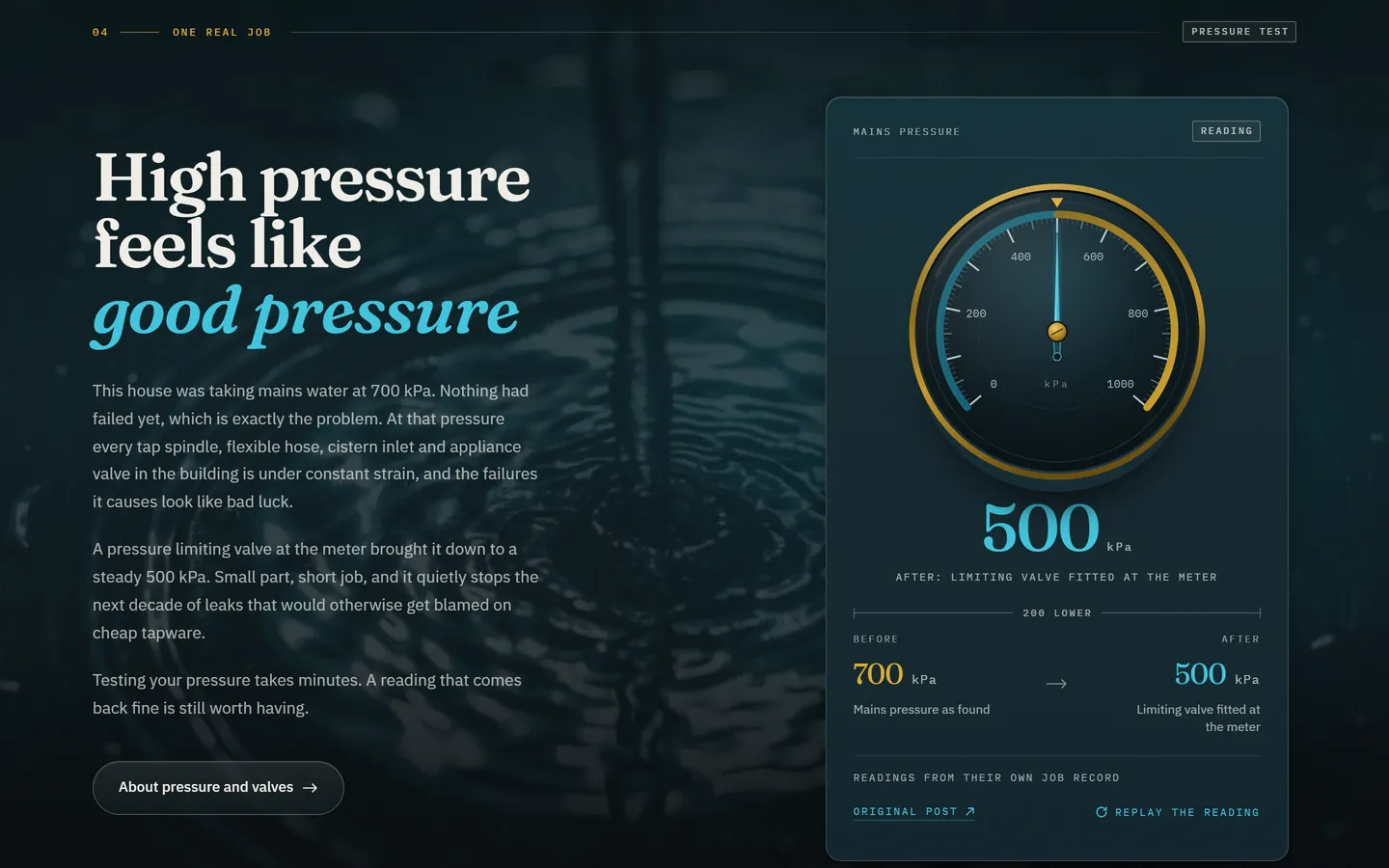
One job from the business’s own posts gets a section to itself. A house was taking mains water at 700 kPa, a pressure limiting valve at the meter brought it down to 500, and the gauge on the right sweeps between the two readings. Under the gauge is a link to the original post.
A lot of plumbing work cannot be photographed in a way a customer understands. One job with its real numbers explains what the plumber did and why it mattered, and the link lets anyone check it.
8. A job record that links to the original posts
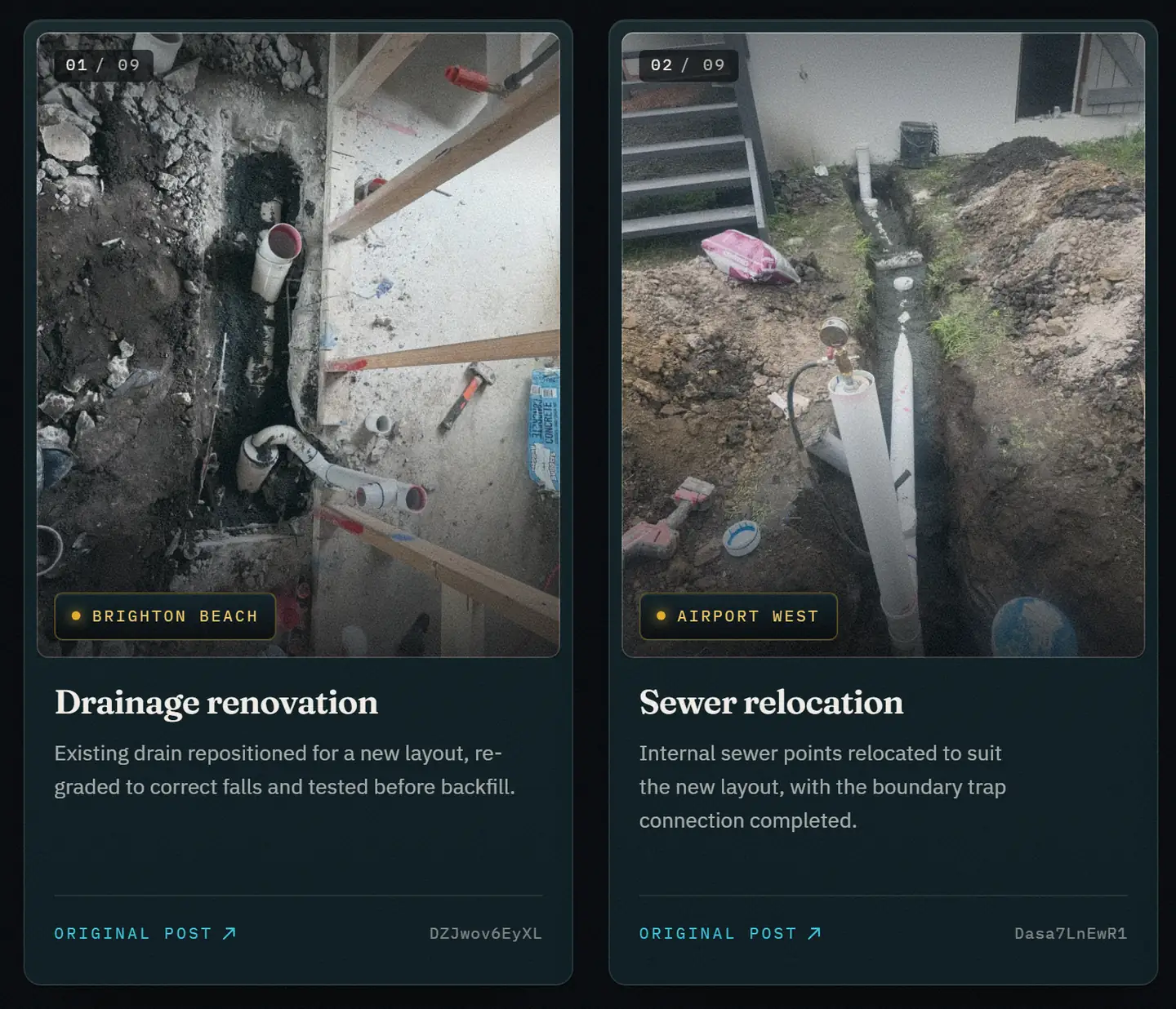
The job record has nine cards. Each has a photo from the job, the suburb, a sentence or two on what was done and a link to the post it came from. These are the first two: a drainage renovation in Brighton Beach and a sewer relocation in Airport West.
AquaCore Plumbing publishes no reviews, so the site shows the work and lets the customer check it. The section’s own heading says as much: “Nine jobs, with the receipts”.
Where you work and how to ask
9. Suburb coverage that says where the work was done
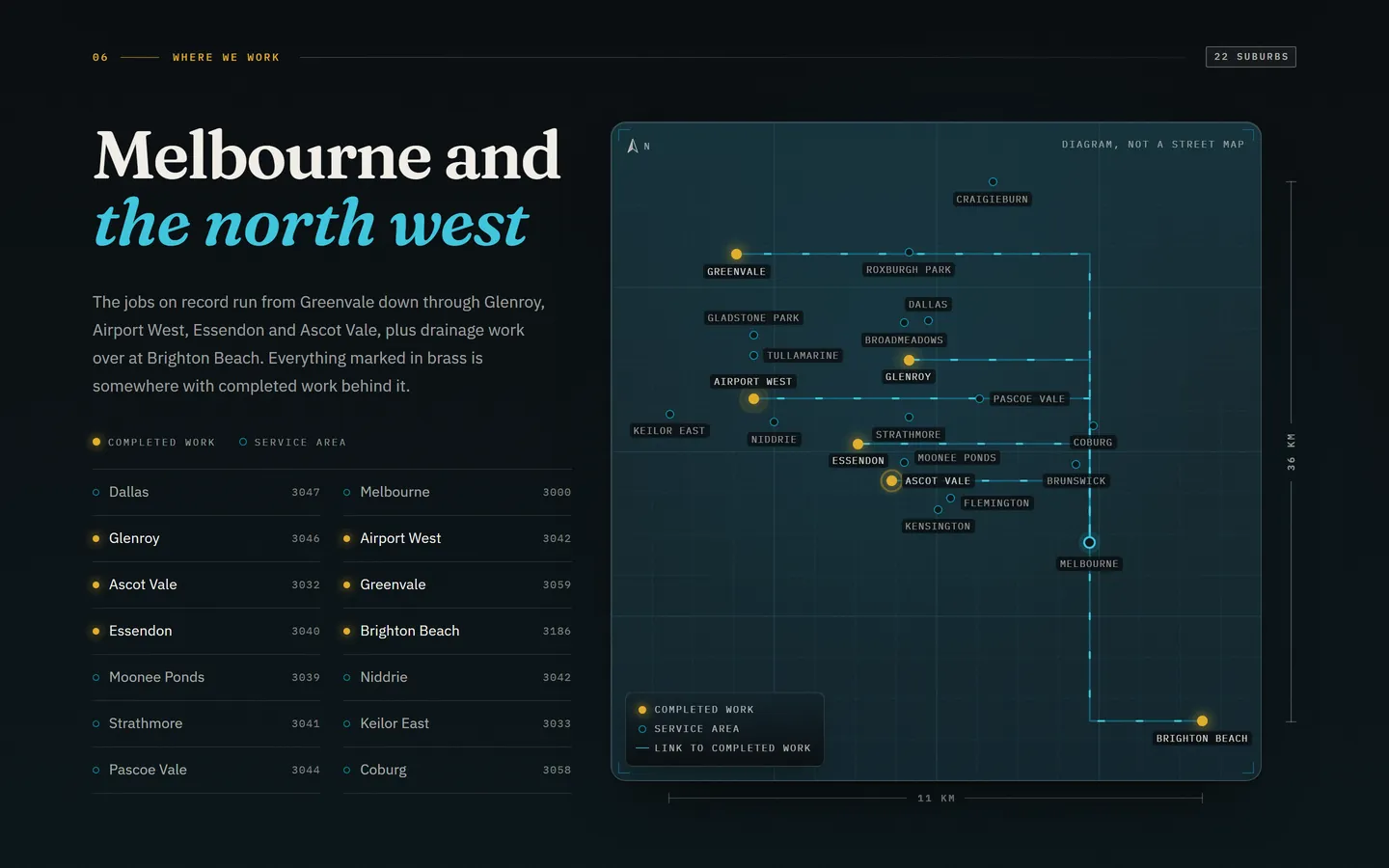
The area section lists suburbs with their postcodes beside a diagram of where they sit. Six are marked in brass: Glenroy, Airport West, Ascot Vale, Greenvale, Essendon and Brighton Beach. Those have a completed job on record. The others are marked as service area.
The site has 22 suburb pages, and the sixteen with no job yet say so. A suburb list is easy to pad. Marking which suburbs have real work behind them is honest, and it still shows the whole area the business covers.
10. A quote form that asks for the suburb, the job and the problem
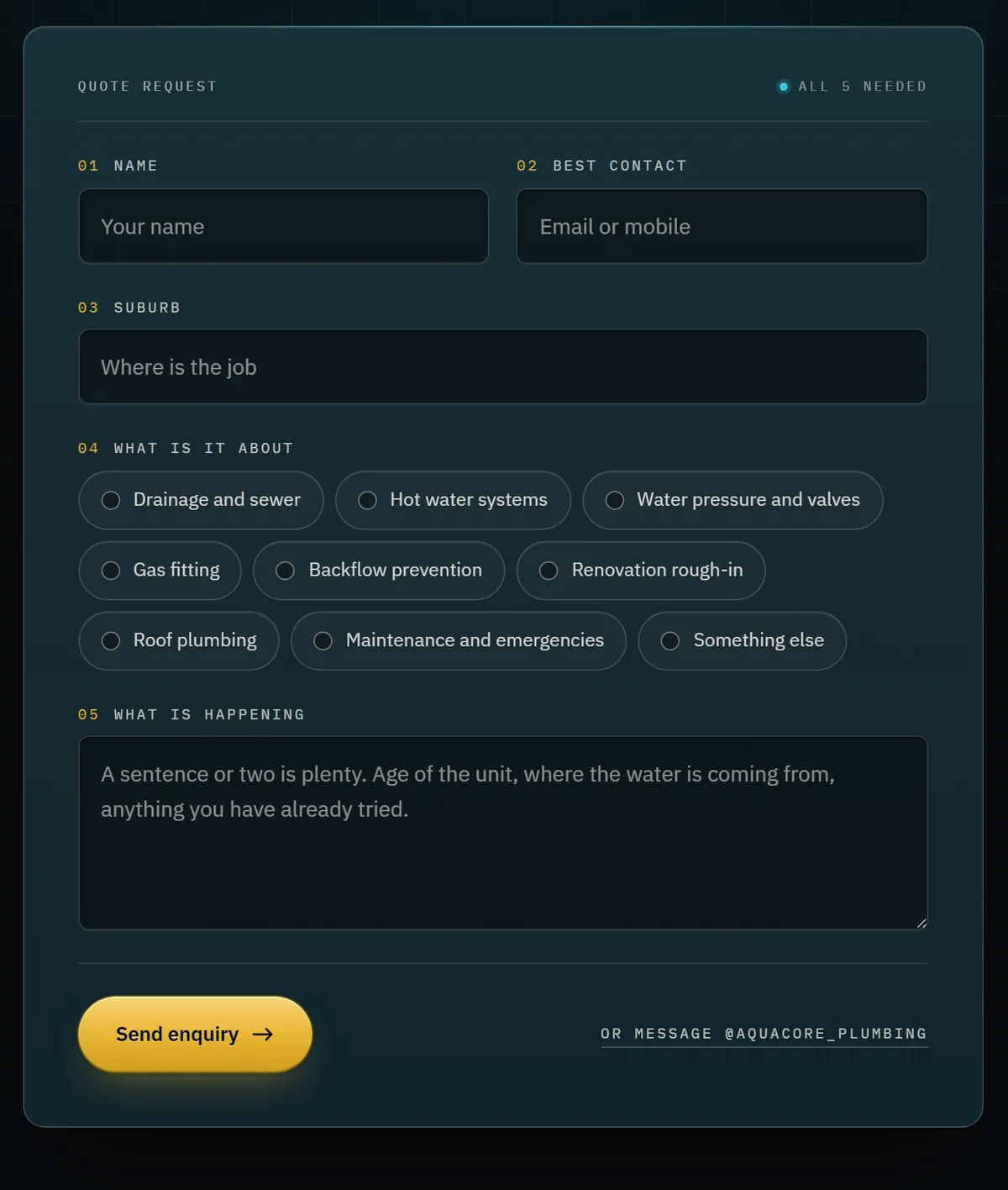
Five fields, all needed: a name, an email or mobile, the suburb, what the job is about and what is happening. The job types are buttons that match the site’s eight service pages, with Something else as the ninth. The last box tells the customer what to write: the age of the unit, where the water is coming from and anything already tried.
A form with only a name and a message box tends to get “need a plumber, call me”. This one gives the plumber the suburb, the kind of job and the symptoms before the first conversation.
What the screenshots do not show
Four things sit under these ten and do not photograph well.
- Structured data. Both sites use structured data that labels the business as a plumber, and the questions are marked up as well, so a search engine reads the same name, trade and area a customer does. Whether a search engine or an AI tool mentions a business is up to that platform.
- Only what can be verified. Donza Plumbing’s accreditations are published because they can be checked. AquaCore Plumbing’s site shows its ABN in the footer of every page and no licence number, and its about page says the number is left off because it has not been verified.
- Speed on a phone. Short forms, and pages that stay quick on mobile data.
- Tracking. Know which page each call and form came from. Without that you cannot tell which of these ten is earning its place.
Borrow these for your own plumbing site
The ten, as a checklist
- The headline is about the customer, with the trade and area beside it
- Licences and the ABN sit straight under the hero
- Your contact method is one tap away on a phone
- Services are grouped by who is asking
- The urgent job has its own tool or page
- Before and after photos are of the same room
- One real job is shown with its numbers
- Job write-ups link to the original post
- The suburb list says where work was done
- The quote form asks for the suburb, the job and the problem
The page set and the search work behind builds like these are on the website design for plumbers page and the SEO for plumbers page. The full builds are written up in the Donza Plumbing case study and the AquaCore Plumbing case study.
To check a site you already have, use the 30-point tradie website and local SEO checklist. For other trades, the same exercise is done for two roofing sites in roofing website design examples, and six builds across four trades and a greengrocer are taken apart in tradie website examples.
What it costs
A Kovus build costs A$500 to A$1,000, quoted in writing for the pages the business needs. Hosting and edits are optional at A$97 a month, and ongoing SEO is optional from A$197 a month. The client owns the website, content, domain and source code. Every price is on the pricing page.
Frequently asked questions
What should a plumber's website include?
A first screen that names the trade and the area, a way to make contact that is one tap away on a phone, the licences and ABN where a customer can see them, services sorted so each customer finds their job, proof that can be checked, the suburbs you cover and a quote form that asks for the suburb, the job and the problem. Each of the ten examples in this guide shows one of those on a live plumbing site.
How much does a plumber website cost?
A Kovus build costs A$500 to A$1,000, quoted in writing for the pages the business needs. Hosting and edits are optional at A$97 a month, and ongoing SEO is optional from A$197 a month. Both are month-to-month.
Does a plumbing website need a separate page for each service?
It helps the customer. Someone with a blocked drain and someone planning a bathroom renovation are asking different questions, and one long services list answers neither well. The two sites in this guide have thirteen and eight service pages, split by job type.
What can a plumber show if the business has no reviews yet?
Work that can be checked. One of the sites in this guide publishes no reviews, so it shows a record of nine jobs, each with a photo, the suburb, what was done and a link to the original post. Publish the ABN, and only publish a licence number that has been verified.
Should a plumber's website list every suburb?
List the suburbs you really travel to, and be straight about which ones you have worked in. One of the sites in this guide marks the suburbs with a completed job differently from the ones that are service area only.
Are the examples in this guide real plumbing websites?
Yes. All ten come from two live Australian plumbing websites that Kovus built, Donza Plumbing in Mannering Park, NSW and AquaCore Plumbing in Melbourne. Each screenshot was taken from the live site.